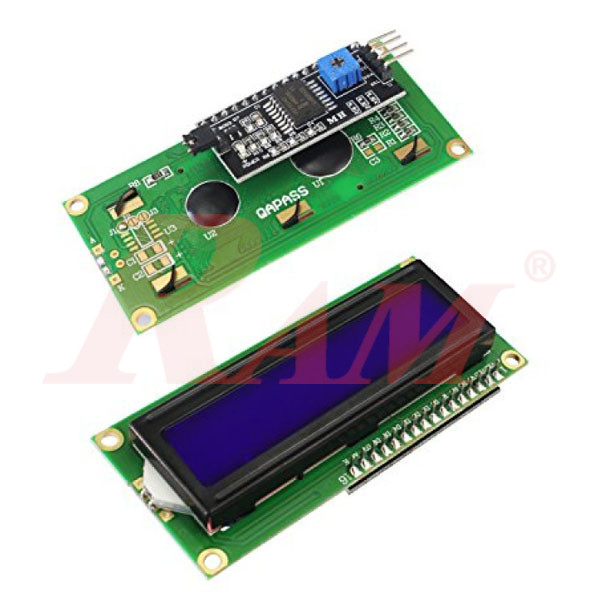
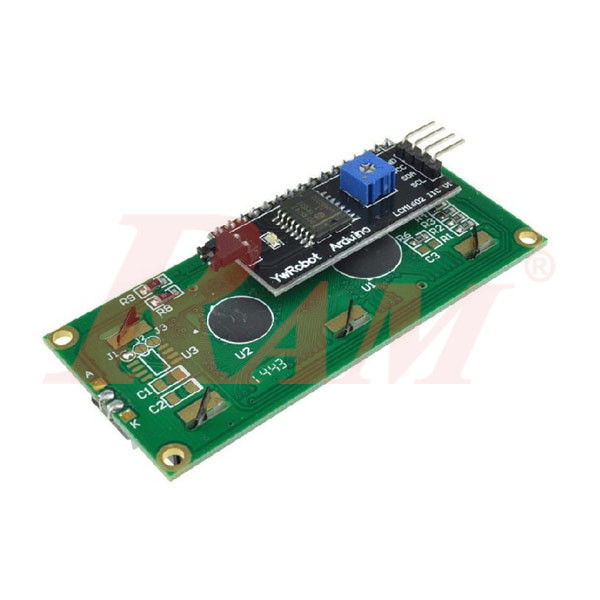
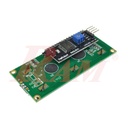
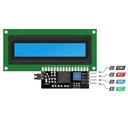
This I2C 1602 LCD display shows 2 lines of 16 characters on a blue backlight, using an HD44780-compatible controller with a soldered I2C interface. Instead of wiring 6 or more data pins directly to a microcontroller, this module connects with just two wires (SDA and SCL) — freeing up I/O pins for sensors, buttons, or other modules on the same Arduino, ESP32, or Raspberry Pi project.
Applications
- Different MCU/Arduino Projects
- Measurement Instruments
How the I2C Interface Simplifies Wiring
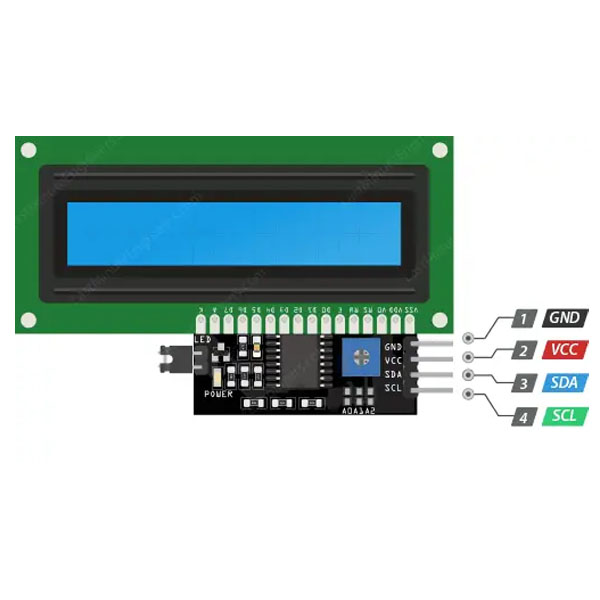
A standard HD44780 character LCD normally needs 6 to 11 digital pins to drive it directly, which is often more than a small board like an Arduino UNO can spare alongside other components. The I2C backpack soldered onto this IIC LCD 2x16 module (built around a PCF8574-type chip) reduces that down to just two lines — SDA and SCL — plus power and ground. That leaves far more pins free for sensors, motors, or other displays on the same project.
- Default I2C address: typically 0x27 (or 0x3F on some batches) — the same address range used across most PCF8574-based 1602/2004 LCD backpacks.
- Changeable address: solder pads (commonly labeled A0/A1/A2) allow the address to be changed, so more than one I2C device can share the same two-wire bus without conflicting.
- Onboard contrast control: a small potentiometer on the backpack adjusts character visibility — if the screen looks blank, this is usually the first thing to check.
- Backlight control: a jumper on the backpack switches the backlight on or off; removing it lets the backlight be powered or controlled separately.
What Can You Display on a 2x16 Character LCD?
With 2 rows of 16 characters, this I2C LCD for Arduino projects and similar boards is enough to show short status messages, sensor readings, or menu prompts — not graphics, but plenty for most hobby and educational projects:
- Sensor readings (temperature, humidity, distance) updated in real time.
- Simple menus or status messages for a project with buttons or a rotary encoder.
- Clock/date displays when paired with an RTC module.
- Debug output during development, without needing the Serial Monitor connected.
Need a small graphical display instead of character-only text? RAM's 0.96" OLED I2C Display Module uses the same two-wire I2C interface but can show simple graphics and icons, not just characters.
Frequently Asked Questions
What does "I2C" mean on this LCD?
I2C (also written IIC) is a two-wire communication protocol. Instead of wiring many separate data pins to the display, the microcontroller talks to it over just two lines — SDA (data) and SCL (clock) — which this module's soldered-on backpack handles.
What is the default I2C address of this display?
Most PCF8574-based 1602 I2C backpacks default to address 0x27 (some ship as 0x3F). If unsure, a simple I2C scanner sketch (widely available for Arduino) will report the exact address.
How many pins does it need to connect to a microcontroller?
Just four: VCC, GND, SDA, and SCL — compared to 6 or more pins for a standard parallel HD44780 LCD.
Is it compatible with Arduino, ESP32, and Raspberry Pi?
Yes — any board with an I2C-capable interface (SDA/SCL pins) can drive it, including Arduino UNO/Nano/Mega, ESP32/ESP8266 boards, and Raspberry Pi.
Can I change the I2C address if I need to connect more than one device?
Yes — solder pads on the backpack (usually labeled A0/A1/A2) let you change the address so multiple I2C devices, including more than one LCD, can share the same two-wire bus.
Does it need a special library to work?
Yes — libraries such as LiquidCrystal_I2C (Arduino) handle the I2C communication and character display, and are widely available and well documented for this exact type of module.
Adding a status display to an Arduino, ESP32, or Raspberry Pi project without using up half its I/O pins? Shop the I2C 1602 LCD display at RAM Electronics — a practical, well-documented addition to any school or hobby electronics project this term.
Download