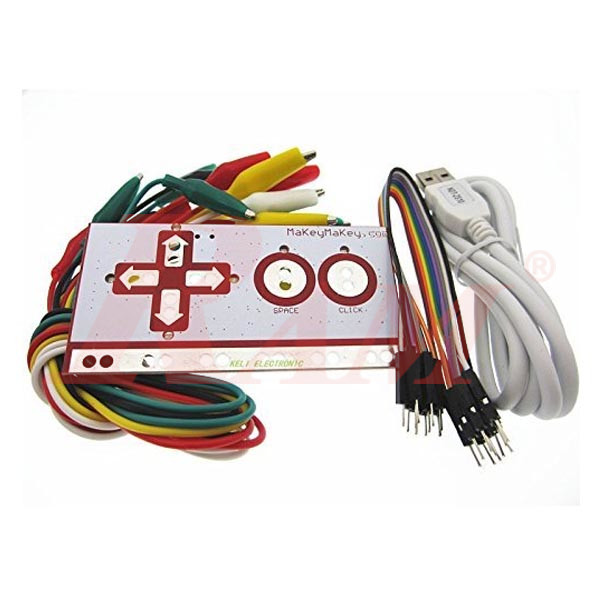
Makey Makey Set - Clone
مرجع داخلي:
MAKEY.MAKEY.SET
Overview
Makey Makey is a popular invention kit that turns everyday objects — bananas, playdough, pencil drawings, even people — into a working keyboard or mouse for your computer. No programming, no software installation, and no complicated wiring: just connect the USB cable and start clipping. Built around the ATMega32u4 microcontroller, it uses the standard HID protocol, so it works as a regular keyboard/mouse with any program or webpage that accepts keyboard or mouse input.
What You Can Build with Makey Makey
- A banana piano — the kit's signature demo project
- Custom game controllers using everyday materials (Play-Doh, foil, fruit)
- Interactive art and STEM projects for classrooms
- Simple input devices for Scratch programming projects — since it acts as a standard keyboard, it works directly with Scratch's keyboard-input blocks
Want to build something similar from scratch instead of a ready-made kit? An Arduino UNO with a few resistors can replicate the same high-impedance switching technique.
How It Works
Makey Makey uses high-impedance switching to detect when you touch a conductive material, which closes the circuit. This technique can pick up some electrical noise, which the module filters out so your computer receives a clean keyboard or mouse signal.
Need extra reach or extra clips? RAM's color-coded crocodile clip wires and jumper wires work well as replacements or extensions.
Frequently Asked Questions
What is Makey Makey and how does it work?
Makey Makey is an invention kit that turns conductive objects into keyboard or mouse inputs for your computer. You connect an object (like a banana) with an alligator clip, and touching it sends a keyboard or mouse signal — no programming required.
Can I use Makey Makey with Scratch?
Yes. Since Makey Makey works as a standard USB keyboard, it's commonly used with Scratch and similar programs that accept keyboard input as game or project controls.
Do I need to install any software to use it?
No. Just connect the USB cable — your computer recognizes it automatically as a keyboard/mouse, with no drivers or software needed.
What's included in this kit?
The controller board, USB cable, Dupont wires, and alligator clips.
Looking for more Arduino boards and accessories to pair with your projects? Browse our full Arduino Boards & Shields collection and wires and crocodile clips.
Download